Website, online shop or app: which does your business need?
Start with a website if customers talk to you before buying, an online shop if they can buy without asking, and an app only when regular customers have a clear reason to keep it. They work together most smoothly when they share one system.
By Eloti Designs · · 4 min read
Most businesses should start with a website. Add an online shop when customers want to buy from you without a conversation first, and consider an app only when people will use it often enough to keep it on their home screen. The three are not rivals: the strongest setups share products, orders and accounts between them.
Here is what each one is for, the signs that you need it and how to decide where to begin.
Website, shop and app at a glance
| What it is | Main job | Suits you when |
|---|---|---|
| Business website | Explains what you do and turns visitors into enquiries | Customers research, compare and then contact you |
| Online shop | Lets customers choose, pay and arrange delivery or pickup themselves | You sell products or fixed-price services |
| Mobile app | Gives regular customers a quick route back, with notifications | People return often to order, book or check an account |
| Web app or portal | Handles bookings, accounts or internal work in the browser | Your team or clients repeat the same tasks every week |
What a business website is for
A website is your shopfront on the internet. Its job is to answer the questions a customer has before they get in touch: what you do, where you work, why they should trust you and how to reach you. It works for every kind of business, from engineering firms to churches to clinics.
You need a website if any of these sound familiar:
- customers ask for your website before they agree to a meeting;
- you rely on word of mouth and want people to be able to check you out;
- you sell services that need a quote or a conversation first;
- you want to be found when people search Google for what you do.
Because Google mostly reads the mobile version of a site when it indexes pages, a website that works on any screen also helps people find you. Our website design page shows what every business website includes.
What an online shop is for
An online shop is a website that can take money. Customers browse products, add them to a basket, pay and choose delivery or pickup, all without waiting for you to reply. Behind the scenes, you see orders, stock and customers in one dashboard.
Signs you need one:
- you sell physical products, or services with a set price;
- you spend hours answering "is this in stock?" and "how do I pay?" messages;
- customers want to buy outside your opening hours;
- you already sell on social media and want a checkout of your own.
Being found matters even more for a shop, because every product is a page someone might search for. Google publishes a whole set of guides for ecommerce sites, covering product data, structured data and site structure, which shows how much a well-built shop depends on its foundations. You can see what we include on our e-commerce website design page.
What a mobile app is for
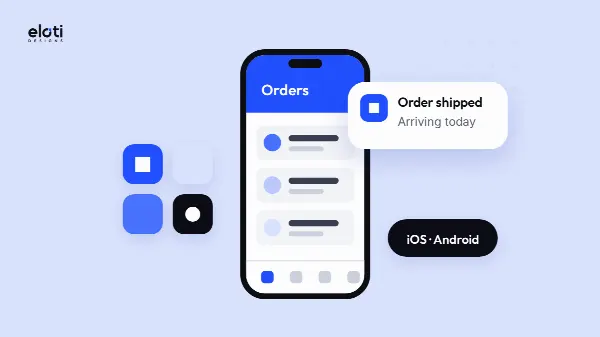
An app lives on your customer's home screen. It suits businesses whose customers come back again and again: to reorder, book an appointment, track a delivery or check an account. Notifications can remind them about offers, orders and appointments.
Signs you may need one:
- your customers use your service weekly or more often;
- they need to sign in to see their own orders, bookings or balances;
- you want to reach them with notifications rather than relying on email;
- features such as the camera, location or offline access would make the service genuinely easier.
An app is not a shortcut to a website. Apple's App Store guidelines say an app should offer features, content and design that go beyond a repackaged website, and that apps which aren't useful or unique may not be accepted. If your app would only show what your website already shows, start with the website. When there is a real job for it to do, our mobile app development page explains how we build for Android and iPhone and publish on Google Play and the App Store.
Web apps and portals
Sometimes "we need an app" really means "we need a system". Client portals, booking tools and internal dashboards often sit more naturally in the browser, on any screen, with secure sign-in and nothing to install. If your problem is the time your team spends on emails and spreadsheets, look at web apps and portals before a store app.
How they work together
You rarely have to choose only one forever. The pieces are designed to connect:
- your website brings in new customers from Google and explains who you are;
- your online shop sits on the same domain and takes orders from those visitors;
- your app gives loyal customers a faster way back, using the same products, orders and accounts;
- a portal lets clients or staff handle bookings, documents or requests in one place.
The important thing is that they share one system behind the scenes. If your shop and app keep separate stock lists or separate customer accounts, you will spend your time reconciling them. Plan the links between them from the start, even if you build them one at a time.
What to start with
A simple way to decide:
- If customers need to talk to you before buying, start with a business website and make contacting you easy.
- If customers can buy without talking to you, start with an online shop, which is a website as well.
- If you already have steady, repeat customers and a clear job for an app, add an app that works with your website or shop.
- If the bottleneck is inside your business, consider a web app or portal.
Starting with one doesn't lock you in. You can add a shop, an app or SEO when you're ready, and our pricing page shows what each package includes. Before you brief anyone, our guide to what to prepare before a website project will help you gather what they need, and how to choose a web design company covers what to ask. When you know what you want, get a written quote.
Questions
Is an online shop the same as a website?
An online shop is a website with a catalogue, basket and checkout added. It can also carry your about, services and contact pages, so you rarely need both separately.
Can I turn my website into an app later?
You can add an app later, built to work with your website so products, orders and accounts stay in one place. It should do something useful that the website alone can't.
Do I need an app to be found on Google?
No. People find businesses on Google through websites. A fast website that works on any screen is the place to start.
Sources
- Mobile site and mobile-first indexing best practices — Google Search Central
- Best practices for ecommerce sites in Google Search — Google Search Central
- App Review Guidelines — Apple Developer