Website care after launch: what your site needs
After launch, a website needs its software updated, backups kept away from the server, its certificate and domain renewed on time, and regular checks that forms, speed and content still work.
By Eloti Designs · · 6 min read
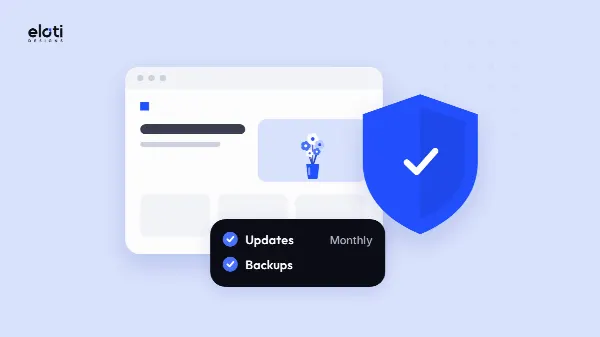
Launch day is the start of your website's working life, not the end of the project. Once it's live, a site needs its software kept up to date, backups stored away from the server, a security certificate that renews, a domain and hosting that don't lapse, and someone checking that forms, speed and content still work for customers. Here's what each job involves and how often to do it.
Why a finished website still needs looking after
A website runs on software that keeps changing around it. Browsers change, security flaws are found and fixed, your business adds services or moves, and the companies that hold your domain and hosting send renewal notices to whichever email address they were first given. None of this is visible on launch day. All of it shows up later, usually at an awkward moment: a contact form that quietly stopped sending, a security warning in the browser, or a domain that lapsed because the reminder went to someone who left.
The good news is that most of the work is routine. A short list, done on a regular schedule, catches most problems before your customers do.
Keep the software up to date
Whatever your site is built on, the software behind it receives updates, and many of them close security holes. If your site runs on WordPress, there are three parts to keep current:
- WordPress itself, often called the core. Its documentation says older versions stop getting security fixes, and that once a flaw is fixed in a new release, the details needed to attack unpatched sites are usually out in the open.
- Plugins, the add-ons that give WordPress extra features such as forms, shops or bookings. WordPress's security guide says to keep them updated and to delete any you no longer use.
- Themes, which control how the site looks. The same guide advises getting themes and plugins only from the WordPress.org directory or from well-known companies.
Most WordPress sites can now install small maintenance and security releases on their own, but bigger feature releases still need someone to start them. Plugins only update automatically if you switch that on, one plugin at a time. Before any significant update, take a fresh backup; WordPress recommends it so that you can put the site back if something goes wrong. Afterwards, click through the main pages and send a message through each form, because an update can clash with an older add-on.
Backups you can actually restore
A backup is only worth having if it's stored somewhere safe and you can bring the site back from it. WordPress's backup guide recommends at least three recent copies kept in separate places, for example one with your host, one in cloud storage and one on your own computer, so that losing one copy never means losing everything.
Three habits make the difference:
- Keep a copy off the server. If the hosting account is hacked, suspended or closed, backups that live only inside it can disappear with it.
- Back up both halves. A WordPress site is its files (images, add-ons and code) plus its database (pages, posts, orders and settings). You need both to rebuild it.
- Restore one now and then. Put a backup onto a spare copy of the site and make sure it works. A backup nobody has ever restored is a hope, not a plan.
How often to back up depends on how often the site changes. WordPress's guide suggests once a week for a smaller, quieter site and daily copies for a busy one. An online shop taking orders every day belongs in the second group.
HTTPS, passwords and two-step sign-in
The padlock beside your address in the browser comes from a certificate that lets visitors connect to your site over HTTPS. Certificates expire. Those issued by Let's Encrypt, for example, last 90 days by default, and Let's Encrypt recommends renewing them every 60 days. Most hosts handle this automatically, but automatic renewal can fail without anyone noticing, often after a change to the domain's settings, and visitors then see a warning instead of your home page. Look for the padlock on your own site from time to time, and ask your host what happens if a renewal fails.
Sign-in security matters just as much. WordPress's security guide warns that someone who breaks into an administrator account can install harmful code that may put the whole server at risk. So:
- Use a long, unique password for each account that can change your site: the website admin, the hosting account, the domain account and the email linked to them. A password manager makes this practical.
- Switch on two-step sign-in, also called two-factor authentication, so a stolen password alone isn't enough to get in.
- Give each person their own login with only the access they need, and remove it when they leave.
Know who holds your domain and when it renews
Your domain is the address customers type and the ending on your email. If it expires, both can stop working. ICANN, the body that coordinates domain names, says a name that isn't renewed or restored in time after expiry may be released for anyone to register.
For endings such as .com, ICANN's recovery policy has required registrars since 2013 to send the owner at least two reminders before expiry, one about a month ahead and one about a week ahead. Country endings are run by their own registries, which set their own rules. Either way, reminders go to the contact email on the registration. If that address is on the same domain, it can fail just when you need it, which is why ICANN asks registrars to encourage owners to add a second email address that doesn't depend on the domain.
A short checklist:
- Check whose name is on the domain. It should be your business, not a former designer or employee. Our clients own their website, domain and content, with full admin access.
- Know the renewal dates for both the domain and the hosting, and who pays for them.
- Keep the contact details current, including a second email on a different domain.
- Turn on auto-renew where your registrar offers it, and keep the card on file up to date.
Our website packages include your domain and hosting for the first year; the pricing page explains how renewal works from the second year.
Forms, speed and content
Make sure enquiries still arrive
A contact form can look perfect and still deliver nothing. Mail settings change, spam filters tighten, and an update can break the step that passes the message on. Send yourself an enquiry through each form every month, and check it lands in the right inbox rather than in junk mail. If your site sends order or booking emails, check those as well.
Watch the speed
Sites tend to slow down as images, add-ons and tracking scripts pile up. Google's PageSpeed Insights reports how a page performs on mobile and desktop, combining a simulated load with data from real visitors where there's enough of it. The real-visitor figures matter most, because they reflect your customers' own devices and connections. Our guide to SEO basics for business websites sets out the speed targets Google publishes.
Keep the words and pictures current
Old opening hours, a service you've dropped or a team member who left all chip away at trust. Read through your main pages every few months, change whatever is out of date, remove pages that no longer help anyone, and fix broken links while you're there.
A simple care calendar
| How often | What to do |
|---|---|
| Every month | Take a backup, then apply updates; send an enquiry through each form; check the padlock and look over the main pages |
| Every few months | Restore a backup to a spare copy; run a speed check; review words, pictures and links; remove unused add-ons and old logins |
| Every year | Confirm the domain and hosting renewal dates and payment details; check whose name the domain is in; review passwords and who has access |
You can do all of this yourself or hand it over. Our website care plans cover monthly updates, regular backups, fixes when something breaks, small changes to words and pictures, and a check that your site loads fast. If you're unsure what state your site is in, an SEO audit gives you a plain list of what to fix first. Either way, you get a written quote before any work starts.
Questions
Can you look after a website someone else built?
Yes. We review it first and tell you if anything needs fixing before a care plan starts, so you know where things stand from day one.
Does a website that rarely changes still need care?
Yes. Even if your words stay the same, the software underneath keeps getting security fixes, certificates keep expiring and renewing, and the domain and hosting still come up for renewal. A quiet site needs less attention, not none.
What should I do if my domain has already expired?
Contact the registrar or reseller you bought it from straight away and ask about renewing it, which is what ICANN advises. The longer you wait, the greater the chance that it's released and someone else registers it.
Sources
- Updating WordPress — WordPress.org Documentation
- Manage Plugins — WordPress.org Documentation
- Hardening WordPress — WordPress Advanced Administration Handbook
- Backups — WordPress Advanced Administration Handbook
- FAQ — Let's Encrypt
- Expired Registration Recovery Policy — ICANN
- About Renewing an Expired Domain — ICANN
- About PageSpeed Insights — Google for Developers